Рубрики
Bash Linux

Restore executable permission to Chmod command in Linux

Problem: chmod command not executable anymore.

chmod -x $(which chmod)

# result
chmod +x $(which chmod)
bash: /usr/bin/chmod: Permission denied

Solution №1
Copy the contents of the chmod binary to other working binaries

# Backup original executable file
cp /usr/bin/mkdir /usr/bin/mkdir.bak

# Copy contents of chmod command to mkdir
cat /usr/bin/chmod > /usr/bin/mkdir

# Set executable permissions with "new" chmod file
mkdir +x /usr/bin/chmod

# Restore original chmod name
mv /usr/bin/mkdir /usr/bin/chmod

# Restore original mkdir file
mv /usr/bin/mkdir.bak /usr/bin/mkdir

# Check if restored chmod is executable now
ls -lah $(which chmod)

Solution №2
Using the cp command with only attributes parameter

cp --attributes-only --preserve=mode /proc/self/exe /usr/bin/chmod

Solution №3
Use setfacl command

setfacl -m u::rx /usr/bin/chmod

# If command setfact not found install packet
apt install acl

Solution №3
Using rsync

rsync /usr/bin/chmod /tmp/chmod --chmod=ugo+x

mv /tmp/chmod /usr/bin

Solution №4
Using Busybox

busybox chmod +x /usr/bin/chmod

Рубрики
iis windows

How to RETRIEVE/DECRYPT PASSWORD OF AN APPLICATION POOL IN IIS

Open cmd with admin privileges.

%systemroot%\system32\inetsrv\appcmd list apppool "Site_App_Pool" /text:*

or

%systemroot%\system32\inetsrv\appcmd list apppool "Site_App_Pool" /text:processmodel.password

Also we can check config file that located by default:
C:\Windows\System32\inetsrv\Config\applicationHost.config

Powershell script to retrieve passwords

function Get-ApplicationHost
{	
    # Author: Scott Sutherland - 2014, NetSPI
    # Version: Get-ApplicationHost v1.0
	
    <#
	    .SYNOPSIS
	       This script will recover encrypted application pool and virtual directory passwords from the applicationHost.config on the system.
	   
	    .DESCRIPTION
	       This script will decrypt and recover application pool and virtual directory passwords
	       from the applicationHost.config file on the system.  The output supports the 
	       pipeline which can be used to convert all of the results into a pretty table by piping 
	       to format-table.
	   
	    .EXAMPLE
	       Return application pool and virtual directory passwords from the applicationHost.config on the system.
	   
	       PS C:\>get-applicationhost.ps1		   

            user    : PoolUser1
            pass    : PoolParty1!
            type    : Application Pool
            vdir    : NA
            apppool : ApplicationPool1

            user    : PoolUser2
            pass    : PoolParty2!
            type    : Application Pool
            vdir    : NA
            apppool : ApplicationPool2

            user    : VdirUser1
            pass    : VdirPassword1!
            type    : Virtual Directory
            vdir    : site1/vdir1/
            apppool : NA

            user    : VdirUser2
            pass    : VdirPassword2!
            type    : Virtual Directory
            vdir    : site2/
            apppool : NA
	   
	    .EXAMPLE
	       Return a list of cleartext and decrypted connect strings from web.config files.
	   
	       PS C:\>get-applicationhost.ps1 | Format-Table -Autosize
	       
            user          pass               type              vdir         apppool
            ----          ----               ----              ----         -------
            PoolUser1     PoolParty1!       Application Pool   NA           ApplicationPool1
            PoolUser2     PoolParty2!       Application Pool   NA           ApplicationPool2 
            VdirUser1     VdirPassword1!    Virtual Directory  site1/vdir1/ NA     
            VdirUser2     VdirPassword2!    Virtual Directory  site2/       NA     

	     .LINK
	       
New Home
https://raw2.github.com/NetSPI/cmdsql/master/cmdsql.aspx http://www.iis.net/learn/get-started/getting-started-with-iis/getting-started-with-appcmdexe http://msdn.microsoft.com/en-us/library/k6h9cz8h(v=vs.80).aspx #> # Check if appcmd.exe exists if (Test-Path ("c:\windows\system32\inetsrv\appcmd.exe")) { # Create data table to house results $DataTable = New-Object System.Data.DataTable # Create and name columns in the data table $DataTable.Columns.Add("user") | Out-Null $DataTable.Columns.Add("pass") | Out-Null $DataTable.Columns.Add("type") | Out-Null $DataTable.Columns.Add("vdir") | Out-Null $DataTable.Columns.Add("apppool") | Out-Null # Get list of application pools c:\windows\system32\inetsrv\appcmd.exe list apppools /text:name | foreach { #Get application pool name $PoolName = $_ #Get username $PoolUserCmd = 'c:\windows\system32\inetsrv\appcmd.exe list apppool "'+$PoolName+'" /text:processmodel.username' $PoolUser = invoke-expression $PoolUserCmd #Get password $PoolPasswordCmd = 'c:\windows\system32\inetsrv\appcmd.exe list apppool "'+$PoolName+'" /text:processmodel.password' $PoolPassword = invoke-expression $PoolPasswordCmd #Check if credentials exists IF ($PoolPassword -ne "") { #Add credentials to database $DataTable.Rows.Add($PoolUser, $PoolPassword,'Application Pool','NA',$PoolName) | Out-Null } } # Get list of virtual directories c:\windows\system32\inetsrv\appcmd.exe list vdir /text:vdir.name | foreach { #Get Virtual Directory Name $VdirName = $_ #Get username $VdirUserCmd = 'c:\windows\system32\inetsrv\appcmd list vdir "'+$VdirName+'" /text:userName' $VdirUser = invoke-expression $VdirUserCmd #Get password $VdirPasswordCmd = 'c:\windows\system32\inetsrv\appcmd list vdir "'+$VdirName+'" /text:password' $VdirPassword = invoke-expression $VdirPasswordCmd #Check if credentials exists IF ($VdirPassword -ne "") { #Add credentials to database $DataTable.Rows.Add($VdirUser, $VdirPassword,'Virtual Directory',$VdirName,'NA') | Out-Null } } # Check if any passwords were found if( $DataTable.rows.Count -gt 0 ) { # Display results in list view that can feed into the pipeline $DataTable | Sort-Object type,user,pass,vdir,apppool | select user,pass,type,vdir,apppool -Unique }else{ # Status user Write-Error "No application pool or virtual directory passwords were found." } }else{ Write-Error "Appcmd.exe does not exist in the default location." } } Get-ApplicationHost
Рубрики
postgres psql SQL

Postgres (psql)

Create database:

create database mydb;

####################################################

Create user:

create user myuser with encrypted password 'mypass';

####################################################

Show all users from all Databases:

SELECT usename AS role_name,
CASE
WHEN usesuper AND usecreatedb THEN
CAST('superuser, create database' AS pg_catalog.text)
WHEN usesuper THEN
CAST('superuser' AS pg_catalog.text)
WHEN usecreatedb THEN
CAST('create database' AS pg_catalog.text)
ELSE
CAST('' AS pg_catalog.text)
END role_attributes
FROM pg_catalog.pg_user
ORDER BY role_name desc;

####################################################

Grand all privileges for user:

grant all privileges on database mydb to myuser;

####################################################

Check user privilages:

SELECT table_catalog, table_schema, table_name, privilege_type
FROM   information_schema.table_privileges 
WHERE  grantee = 'MY_USER'

####################################################

Delete table:

DROP TABLE test;

####################################################

Create table:

CREATE TABLE DB_NAME (
	user_id serial PRIMARY KEY,
	username VARCHAR ( 50 ) UNIQUE NOT NULL,
	password VARCHAR ( 50 ) NOT NULL,
	email VARCHAR ( 255 ) UNIQUE NOT NULL,
	created_on TIMESTAMP NOT NULL,
        last_login TIMESTAMP 
);

####################################################

Check user privelages:

select * 
from information_schema.role_table_grants 
where grantee='payments_invoices';
select * 
from pg_tables 
where tableowner = 'payments_invoices';

####################################################

Рубрики
Без рубрики

Minikube install grafana, prometheus, InluxDB and Telegraf

Install Helm:
download:
https://github.com/helm/helm/releases

Unpack:
tar -zxvf helm-v3.0.0-linux-amd64.tar.gz

Move binary:
mv linux-amd64/helm /usr/local/bin/helm

Check:
helm help

Install Grafana:
helm repo add grafana https://grafana.github.io/helm-charts

helm install grafana grafana/grafana


kubectl expose service grafana --type=NodePort --target-port=3000 --name=grafana-np


to get admin password:
kubectl get secret --namespace default grafana -o jsonpath="{.data.admin-password}" | base64 --decode ; echo

load service:
minikube service grafana-np

Install Prometheus:
Add repo:
helm repo add prometheus-community https://prometheus-community.github.io/helm-charts

helm install prometheus prometheus-community/prometheus

kubectl expose service prometheus-server --type=NodePort --target-port=9090 --name=prometheus-server-np


load service:
minikube service prometheus-server-np

Install InfluxDB:
Download:
https://marribi.ru/wp-content/uploads/2021/01/influxdb.7z
Unzip
cd inside
kubectl apply -f .

Install Telegraf:
Download:
https://marribi.ru/wp-content/uploads/2021/01/telegraf.7z
Unzip
cd inside
kubectl apply -f .

Рубрики
Без рубрики

VMware vCenter

vCenter 6.5
Forgotten root password reset:
1. Take a snapshot or backup of the vCenter Server Appliance before proceeding.
2. Reboot the vCenter Server Appliance
3. After the VCSA Photon OS starts, press e key to enter the GNU GRUB Edit Menu.
4. Locate the line that begins with the word Linux.
5. Append these entries to the end of the line:
rw init=/bin/bash

Reset root password in VCSA - rw init=/bin/bash

6. Press F10 to continue booting.
7. Run the command:
mount -o remount,rw / 
8. In the Command prompt, enter the command passwd and provide a new root password (twice for confirmation):
passwd
9. Unmount the filesystem by running this command:
umount /
10. Reboot the vCenter Server Appliance by running this command:
reboot -f
11. Confirm that you can access the vCenter Server Appliance using the new root password.
12. Remove the snapshot taken in Step 1.

Change vSphere Web (HTML5) Client Session Timeout for VCSA 6.5:
1. Open an SSH session on your VCSA
2. Enable shell
shell.set --enabled True
shell
cd /etc/vmware/vsphere-ui/
vi webclient.properties

3. Navigate to “session.timeout = 120”. Where 120 is the default value in minutes.
4. Delete the default value and enter 0 to never log out the sessions. Or enter the desired value in minutes.
5. Stop and start the vSphere Web Client service:
service-control --stop vsphere-ui
service-control --start vsphere-ui

Рубрики
Microsoft SQL T-SQL

Microsoft SQL

Create a table:
CREATE TABLE table_name
(column_name data_type);

Select all from some table of some database:
SELECT * from [database_name].[dbo].[table_name];

Select some column of table as different name:
SELECT column_name AS new_name FROM table_name;

Insert into table:
INSERT INTO table_name
VALUES (123)
;

Delete all contents of a table:
DELETE FROM table_name;
or
TRUNCATE TABLE table_name;

Delete complete table itself:
DROP TABLE table_name;

Change column data type
ALTER TABLE table_name
ALTER COLUMN column_name varchar(255);

Rename a column:
EXEC sp_rename '[table_name].[old_column_name]', 'new_column_name', 'COLUMN';

Add a column into a table:
ALTER TABLE [dbo].[table_name]
ADD [column_name] VARCHAR(255);

Delete a table:
USE [database_name]
DROP TABLE [dbo].[table_name]

Check data length of a column:
SELECT [column_name], DATALENGTH([column_name]) AS Data_length from table_name;

for varchar take in mind that it takes actual data size +2 bytes always.

IF, ELSE types of conditions:
SELECT @var1 + iif(@var2 is null, '', ' ' + @var2) + ' ' + @var3 AS column_name
or
SELECT @var1 + CASE WHEN @var2 IS NULL THEN '' ELSE ' ' + @var2 END + ' ' + @var3 AS column_name
or
SELECT @var1 + COALESCE(' ' + @var2,'') + ' ' + @var3 AS column_name
or
SELECT CONCAT(@var1, ' ' + @var2, ' ', @var3) AS column_name

SELECT templates:
SELECT * FROM [table_name]
WHERE [column_name] LIKE 'r-t%'

where data in column_name starts from «r» or «s» or «t»

SELECT * FROM [table_name]
WHERE [column_name] LIKE '^rst%'

where data in column_name does not starts from «r» or «s» or «t»

to find exact symbol that is mask in t-sql use square brackets [symbol]
SELECT * FROM [table_name]
WHERE [column_name] LIKE '[%]%'

where data in column_name starts from «%»

% —
_ —

SELECT, GROUP, ORDER:

SELECT year(column_name) as YearOfDateOfBirth, count(*) as NumberBorn
FROM [dbo].[table_name]
WHERE 1=1
GROUP BY year(column_name)
ORDER BY year(column_name) ASC


count(*) — counts number of rows
WHERE 1=1 — just filler
GROUP BY — group by something
ORDER BY — order by something
ASC — acceding order
DESC — descending order
YearOfDateOfBirth — alias for column name

SELECT with TOP:

SELECT top(5) left([column_name],1) as Initial, count(*) as CountOfInitial
FROM table_name
GROUP BY LEFT([column_name],1)
ORDER BY count(*) DESC

SELECT top(5) — show top 5 results by count of rows
left([column_name],1) — select by 1 character from left in column_name column

SELECT with HAVING:
SELECT left([column_name],1) as Initial, count(*) as CountOfInitial
FROM table_name
GROUP BY LEFT([column_name],1)
HAVING count(*)>=50
ORDER BY count(*) DESC

HAVING count(*)>=50 — show only results where count of rows is more or equals to 50

Update information in a column:
UPDATE table_name
SET [column_name] = NULL
WHERE [column_name] = ''

set data to ‘NULL’ where data equals » (empty) in a column column_name

SELECT and ORDER BY different from GROUP BY statement:
SELECT DATENAME(month,DateOfBirth) as MonthNumber, count(*) as NumberEmployees
FROM table_name
GROUP BY DATENAME(month,DateOfBirth), DATEPART(month,DateOfBirth)
ORDER BY DATEPART(month,DateOfBirth) DESC


Orders by month and shows only text version of a month name

Update certain data in table and check output:
BEGIN TRAN
SELECT * FROM tblTransaction

WHERE EmployeeNumber = 194

UPDATE tblTransaction
SET EmployeeNumber = 194
OUTPUT inserted., deleted.
FROM tblTransaction
WHERE EmployeeNumber = 3


SELECT * FROM tblTransaction

WHERE EmployeeNumber = 194
ROLLBACK TRAN


In table tblTransaction where EmployeeNumber equals 3 change it to 194
And rollback transaction

JOIN:
SELECT [dbo].[tblEmployee].[EmployeeNumber], [EmployeeFirstName], [EmployeeLastName], sum([Amount]) as SumOfAmount
FROM [dbo].[tblEmployee]
JOIN [dbo].[tblTransaction]
on [dbo].[tblEmployee].[EmployeeNumber] = [dbo].[tblTransaction].[EmployeeNumber]
GROUP BY [dbo].[tblEmployee].[EmployeeNumber], [EmployeeFirstName], [EmployeeLastName]
ORDER BY [EmployeeNumber]

3 table JOIN:
SELECT DepartmentHead, SUM(Amount) as SumOfAmount
FROM tblDepartment
LEFT JOIN tblEmployee
ON tblDepartment.Department = tblEmployee.Department
LEFT JOIN tblTransaction
ON tblEmployee.EmployeeNumber = tblTransaction.EmployeeNumber
GROUP BY DepartmentHead
ORDER BY DepartmentHead

Execute and rollback transaction:
BEGIN TRANSACTION
SELECT COUNT(*) FROM tblTransaction
DELETE tblTransaction
FROM tblEmployee AS E
RIGHT JOIN tblTransaction AS T
ON E.EmployeeNumber = T.EmployeeNumber
WHERE E.EmployeeNumber IS NULL
SELECT COUNT(*) FROM tblTransaction
ROLLBACK TRANSACTION

JOINs:
INNER JOIN — default — row must exist in both tables
LEFT JOIN — ALL rows from LEFT table
RIGHT JOIN — ALL rows from RIGHT table
CROSS — ALL rows from both tables, multiply all possible combinations.

Create table from information from another table:
SELECT DISTINCT column_name1, '' AS column_name2
INTO new_table_name
FROM old_table_name

Will create table with new_table_name with 2 columns, column_name1 with unique rows from column_name1 old_table_name from and empty column_name2

Constraints
Add a Unique constraint:

ALTER TABLE table_name
ADD CONSTRAINT constraint_name UNIQUE (column_name);


Delete the constraint:
ALTER TABLE table_name
DROP CONSTRAINT constraint_name;


Add constraint with default value:
ALTER TABLE table_name
ADD CONSTRAINT column_name DEFAULT GETDATE() FOR column_name;


Add a check constraint to a column:
ALTER TABLE table_name
ADD CONSTRAINT chkAmount CHECK (Amount>-1000 AND Amount < 1000)


Add a check constraint to a column without checking existing rows but replace if ‘.’ exists in a value with » (nothing):
ALTER TABLE table_name WITH NOCHECK
ADD CONSTRAINT constraint_name CHECK
(REPLACE(column_name,'.','') = column_name OR column_name IS NULL)

Add a PRIMARY KEY constraint:
ALTER TABLE table_name
ADD CONSTRAINT constraint_name PRIMARY KEY (column_name)

Add a FOREIGN KEY:
ALTER TABLE table_name
ADD CONSTRAINT constraint_name FOREIGN KEY (column_name)
REFERENCES table_name2(column_name2)

Complex FOREING KEY constrain:
ALTER TABLE tblTransaction ALTER COLUMN EmployeeNumber INT NULL
ALTER TABLE tblTransaction ADD CONSTRAINT DF_tblTransaction DEFAULT 124 FOR EmployeeNumber
ALTER TABLE tblTransaction WITH NOCHECK
ADD CONSTRAINT FK_tblTransaction_EmployeeNumber FOREIGN KEY (EmployeeNumber)
REFERENCES tblEmployee(EmployeeNumber)
ON UPDATE CASCADE
ON DELETE set default


1. Alter table and column to NULLable INTeger
2. Add constraint with default value 124 for column
3. Set FOREIGN KEY
4. On update row cascade change
5. On delete row set default value

Create a simple trigger:
CREATE TRIGGER trigger_name
ON table_name
AFTER DELETE, INSERT, UPDATE
AS
BEGIN
SELECT * FROM inserted
SELECT * FROM deleted
END
GO


Show current triggers configuration:
EXEC sp_configure 'nested triggers';

Change current triggers configuration:
EXEC sp_configure 'nested triggers', 0;
RECONFIGURE


Nested trigger:
ALTER TRIGGER TR_tblTransaction
ON tblTransaction
AFTER DELETE, INSERT, UPDATE
AS
BEGIN
IF @@ROWCOUNT > 0
BEGIN
select * from Inserted
select * from Deleted
END
END
GO

Union — unites output:
SELECT convert(char(5),'hi') AS GreetingNow
UNION
SELECT convert(char(11),'hello there')
UNION
SELECT convert(char(11),'Bonjour')
UNION
SELECT convert(char(11),'hi')

Case statement:
SELECT TOP (1000) [EmployeeNumber]
,[EmployeeFirstName]
,[EmployeeMiddleName]
,[EmployeeLastName]
,[EmployeeGovernmentID]
,[DateOfBirth]
,[Department],
CASE WHEN left([EmployeeGovernmentID],1)='A' then 'Letter A'
WHEN left([EmployeeGovernmentID],1)='B' then 'Letter B'
ELSE 'Neither letter' END AS Name
FROM [70-461].[dbo].[tblEmployee]

Merging 2 tables:
MERGE INTO tblTransaction as T
USING (
SELECT [EmployeeNumber], DateOfTransaction, sum(Amount) AS Amount
FROM tblTransaction
GROUP BY [EmployeeNumber], DateOfTransaction
) AS S
ON T.EmployeeNumber = S.EmployeeNumber AND T.DateOfTransaction = S.DateOfTransaction
WHEN MATCHED THEN
UPDATE SET Amount = T.Amount + S.Amount
WHEN NOT MATCHED BY TARGET THEN
INSERT ([Amount], [DateOfTransaction], [EmployeeNumber])
VALUES (S.Amount, S.DateOfTransaction, S.EmployeeNumber);

Create and execute procedure:
CREATE PROC NameEmployees AS
BEGIN
SELECT [EmployeeNumber], [EmployeeFirstName], [EmployeeLastName]
FROM [dbo].[tblEmployee]
END


EXEC NameEmployees


Delete a procedure:
DROP PROC procedure_name


Check what procedures are currently in DB:
SELECT * FROM sys.procedures
or
SELECT object_ID('procedure_name','P')


More complex Procedure (IF, ELSE):
IF OBJECT_ID('NameEmployees', 'P') IS NOT NULL
DROP PROC NameEmployees
GO
CREATE PROC NameEmployees(@EmployeeNumber int) AS
BEGIN
IF EXISTS (SELECT * FROM [dbo].[tblEmployee] WHERE [EmployeeNumber] = @EmployeeNumber)
BEGIN
IF @EmployeeNumber < 300
BEGIN
SELECT [EmployeeNumber], [EmployeeFirstName], [EmployeeLastName]
FROM [dbo].[tblEmployee]
WHERE EmployeeNumber = @EmployeeNumber
END
ELSE
BEGIN
SELECT [EmployeeNumber], [EmployeeFirstName], [EmployeeLastName], Department
FROM [dbo].[tblEmployee]
WHERE EmployeeNumber = @EmployeeNumber
SELECT * FROM tblTransaction WHERE EmployeeNumber = @EmployeeNumber
END
END
END
go

TRY and CATCH procedure:
if object_ID('AverageBalance','P') IS NOT NULL
drop proc AverageBalance
go
create proc AverageBalance(@EmployeeNumberFrom int, @EmployeeNumberTo int, @AverageBalance int OUTPUT) as
begin
SET NOCOUNT ON
declare @TotalAmount money
declare @NumOfEmployee int
begin try
select @TotalAmount = sum(Amount) from tblTransaction
where EmployeeNumber between @EmployeeNumberFrom and @EmployeeNumberTo
select @NumOfEmployee = count(distinct EmployeeNumber) from tblEmployee
where EmployeeNumber between @EmployeeNumberFrom and @EmployeeNumberTo
set @AverageBalance = @TotalAmount / @NumOfEmployee
RETURN 0
end try
begin catch
set @AverageBalance = 0
SELECT ERROR_MESSAGE() AS ErrorMessage, ERROR_LINE() as ErrorLine,
ERROR_NUMBER() as ErrorNumber, ERROR_PROCEDURE() as ErrorProcedure,
ERROR_SEVERITY() as ErrorSeverity, -- 0-10 for information
ERROR_STATE() as ErrorState
RETURN 1
end catch
end

OVER and PARTITION BY procedure with ORDER BY + PRECEDING and FOLLOWING options. Data manipulation.

select A.EmployeeNumber, A.AttendanceMonth,
A.NumberAttendance,
SUM(A.NumberAttendance) over(PARTITION BY E.EmployeeNumber ORDER BY A.AttendanceMonth ROWS BETWEEN 1 PRECEDING AND 1 FOLLOWING) as RollingTotal
from tblEmployee as E join tblAttendance as A
on E.EmployeeNumber = A.EmployeeNumber

LAG (goes backwards) and LEAD (goes forward):
SELECT A.EmployeeNumber, A.AttendanceMonth,
A.NumberAttendance,
lag(NumberAttendance, 1) over(partition by E.EmployeeNumber
ORDER BY A.AttendanceMonth) AS MyLag,
lead(NumberAttendance, 1) over(partition by E.EmployeeNumber
ORDER BY A.AttendanceMonth) AS MyLead,
NumberAttendance - lag(NumberAttendance, 1) over(partition by E.EmployeeNumber
ORDER BY A.AttendanceMonth) AS MyDiff
FROM tblEmployee AS E join tblAttendance AS A
on E.EmployeeNumber = A.EmployeeNumber

PERCENTILE_CONT and PERCENTILE_DISC:

PERCENTILE_CONT(0.5) — exact value on 50% of all range
PERCENTILE_DISC(0.5) — nearest to 50% value from the range of existing values

SELECT DISTINCT EmployeeNumber,
PERCENTILE_CONT(0.5) WITHIN GROUP (ORDER BY NumberAttendance) OVER (PARTITION BY EmployeeNumber) as AverageCont,
PERCENTILE_DISC(0.5) WITHIN GROUP (ORDER BY NumberAttendance) OVER (PARTITION BY EmployeeNumber) as AverageDisc
from tblAttendance

GROUPING, GROUPING_ID, ROLLUP (to get rid of UNION)

select E.Department, E.EmployeeNumber, A.AttendanceMonth as AttendanceMonth, sum(A.NumberAttendance) as NumberAttendance,
GROUPING(E.EmployeeNumber) AS EmployeeNumberGroupedBy,
GROUPING_ID(E.Department, E.EmployeeNumber, A.AttendanceMonth) AS EmployeeNumberGroupedID
from tblEmployee as E join tblAttendance as A
on E.EmployeeNumber = A.EmployeeNumber
group by ROLLUP (E.Department, E.EmployeeNumber, A.AttendanceMonth)
order by Department, EmployeeNumber, AttendanceMonth

Sub query:
SELECT * FROM [dbo].[tblTransaction] AS T
WHERE EmployeeNumber in
(SELECT EmployeeNumber FROM tblEmployee WHERE EmployeeLastName LIKE 'y%')
ORDER BY EmployeeNumber

select *
from tblTransaction as T
left join (select * from tblEmployee
where EmployeeLastName like 'y%') as E
on E.EmployeeNumber = T.EmployeeNumber
order by T.EmployeeNumber

select *
from tblTransaction as T
left join tblEmployee as E
on E.EmployeeNumber = T.EmployeeNumber
Where E.EmployeeLastName like 'y%'
order by T.EmployeeNumber

Correlated sub query:

Select *, (select count(EmployeeNumber)
from tblTransaction as T
where T.EmployeeNumber = E.EmployeeNumber) as NumTransactions,
(Select sum(Amount)
from tblTransaction as T
where T.EmployeeNumber = E.EmployeeNumber) as TotalAmount
from tblEmployee as E
Where E.EmployeeLastName like 'y%' --correlated subquery

WITH statement:
with tblWithRanking as
(select D.Department, EmployeeNumber, EmployeeFirstName, EmployeeLastName,
      rank() over(partition by D.Department order by E.EmployeeNumber) as TheRank
from tblDepartment as D
join tblEmployee as E on D.Department = E.Department

select * from tblWithRanking
where TheRank <= 5
order by Department, EmployeeNumber

Complex WITH statement:
with Numbers as (
select top(select max(EmployeeNumber) from tblTransaction) row_Number() over(order by (select null)) as RowNumber
from tblTransaction as U)


select U.RowNumber from Numbers as U
left join tblTransaction as T
on U.RowNumber = T.EmployeeNumber
where T.EmployeeNumber is null
order by U.RowNumber

PIVOT statement:
with myTable as
(select year(DateOfTransaction) as TheYear, month(DateOfTransaction) as TheMonth, Amount from tblTransaction)


SELECT * FROM myTable
PIVOT (SUM(Amount) for TheMonth in ([1], [2], [3], [4], [5], [6], [7], [8], [9], [10], [11], [12])) AS myPvt
ORDER BY TheYear

SELF JOIN:
ALTER TABLE [dbo].[tblEmployee]
add Manager int
go
UPDATE [dbo].[tblEmployee]
SET Manager = ((EmployeeNumber-123)/10)+123
WHERE EmployeeNumber>123
SELECT E.EmployeeNumber, E.EmployeeFirstName, E.EmployeeLastName, E.Manager,
M.EmployeeNumber, M.EmployeeFirstName, M.EmployeeLastName, M.Manager
FROM [tblEmployee] AS E
left JOIN [tblEmployee] AS M
ON E.Manager = M.EmployeeNumber

Recursive common table expression.
alter table tblEmployee
add Manager int
go
update tblEmployee
set Manager = ((EmployeeNumber-123)/10)+123
where EmployeeNumber>123;
with myTable as
(select EmployeeNumber, EmployeeFirstName, EmployeeLastName, 0 as BossLevel --Anchor
from tblEmployee
where Manager is null
UNION ALL --UNION ALL!!
select E.EmployeeNumber, E.EmployeeFirstName, E.EmployeeLastName, myTable.BossLevel + 1 --Recursive
from tblEmployee as E
join myTable on E.Manager = myTable.EmployeeNumber
) --recursive CTE

select * from myTable

Functions:

CREATE FUNCTION AmountPlusOne(@Amount smallmoney)
RETURNS smallmoney
AS
BEGIN
RETURN @Amount + 1
END
GO
select DateOfTransaction, EmployeeNumber, Amount, dbo.AmountPlusOne(Amount) as AmountAndOne
from tblTransaction
DECLARE @myValue smallmoney
EXEC @myValue = dbo.AmountPlusOne @Amount = 345.67
select @myValue
if object_ID(N'NumberOfTransactions',N'FN') IS NOT NULL
DROP FUNCTION NumberOfTransactions
GO
CREATE FUNCTION NumberOfTransactions(@EmployeeNumber int)
RETURNS int
AS
BEGIN
DECLARE @NumberOfTransactions INT
SELECT @NumberOfTransactions = COUNT(*) FROM tblTransaction
WHERE EmployeeNumber = @EmployeeNumber
RETURN @NumberOfTransactions
END

Apply statement. To compare table to results of a function (array).
SELECT *
from dbo.TransList(123)
GO
select , (select count() from dbo.TransList(E.EmployeeNumber)) as NumTransactions
from tblEmployee as E
select *
from tblEmployee as E
outer apply TransList(E.EmployeeNumber) as T
select *
from tblEmployee as E
cross apply TransList(E.EmployeeNumber) as T
--123 left join TransList(123)
--124 left join TransList(124)
--outer apply all of tblEmployee, UDF 0+ rows
--cross apply UDF 1+ rows
--outer apply = LEFT JOIN
--cross apply = INNER JOIN

Create clustered index:
create clustered index idx_tblEmployee on [dbo].[tblEmployee]([EmployeeNumber])

Create non-clustered index:
create nonclustered index idx_tblEmployee_DateOfBirth
on [dbo].[tblEmployee]([DateOfBirth])

Create a non-clustered index including additional fields:
create nonclustered index idx_tblEmployee_DateOfBirth
on [dbo].[tblEmployee]([DateOfBirth])
include ([EmployeeFirstName],[EmployeeMiddleName],[EmployeeLastName])

Cursor:
DECLARE @EmployeeID int
DECLARE csr CURSOR FOR
SELECT EmployeeNumber
FROM [dbo].[tblEmployee]
WHERE EmployeeNumber between 120 and 299

OPEN csr
FETCH NEXT FROM csr INTO @EmployeeID
WHILE @@FETCH_STATU=0
BEGIN
SELECT * FROM [dbo].[tblTransaction] where EmployeeNumber = @EmployeeID
FETCH NEXT FROM csr INTO @EmployeeID
END
CLOSE csr
deallocate csr

Alternative to the cursor:
SELECT *
FROM tblTransacrion AS T
right join tblEmployee as E
on T.EmployeeNumber = E.EmployeeNumber
WHERE E.EmployeeNumber between 120 and 299
and T.EmployeeNumber is not NULL

Iterate through 3000 rows and update each separately:
DECLARE @var AS INT
SET @var = 0
WHILE @var!=3000
BEGIN
UPDATE [dbo].[tblTransaction]
SET [DateOfTransaction] = CURRENT_TIMESTAMP - FLOOR(RAND() * 14)
WHERE [EmployeeNumber] = @var
SET @var = @var + 1
END

UI:
If something in SSMS is shown as not found (underlined in red) update local cache by hitting CRTL-SHIFT-R or go to Edit —> IntelliSense —> Refresh local cache.

Char types:
char — ASCII — 1 byte
varchar — ASCII — 1 byte
nchar — UNICODE — 2 bytes
nvarchar — UNICODE — 2 bytes

Check what port is used by SQL server:
SELECT DISTINCT
local_tcp_port
FROM sys.dm_exec_connections
WHERE local_tcp_port IS NOT NULL

Change MSSQL server default Collation:
WARNING this action can lead to data loss Backup everything and take a snapshot.
Stop MS SQL service.
Open cmd with admin privileges
change dir to where ms SQL server installed (Examle: C:\Program Files\Microsoft SQL Server\MSSQL12.SQLEXPRESS\MSSQL\Binn)
Execute command: sqlservr -m -T4022 -T3659 -s»SQL_Server_name» -q»Cyrillic_General_CI_AS»
wait till it will finish
you can see errors
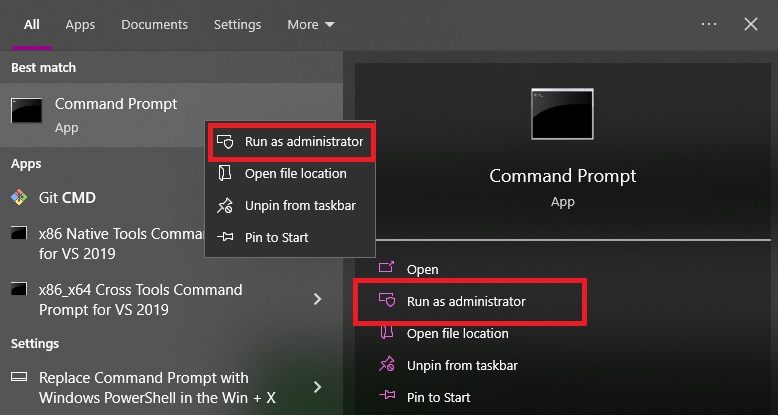
wait for more
after it finishes start ms SQL service.
done
Рубрики
File system Linux

Extend root partition on CentOS7 on a fly

Problem:
no space left on » / » (centos-root).
0 bytes left.


Solution:
Rescan device
Create a partition (sda3)
Extend VG without meta backup
Extend LV without meta backup
xfs.grow root partition.

echo «1» > /sys/class/block/sda/device/rescan

# if add new disk,
# or if reboot is available expand partiton with gparted
# or fdisk by deleting and creating new partition
echo "1" > /sys/class/block/sda/device/rescan

fdisk /dev/sda
  ### create sda3 partition
  ### n
  ### primary 
  ### (yyy)
  
# check VG name
vgdisplay

# 'centos' is a VG name in this example: VG Name centos
vgextend -A n centos /dev/sda3

# Get lv volume Example: /dev/mapper/centos_centos-root
blkid

# Extend volume to 100% of free space in VG
lvextend -A n -l 100%VG /dev/mapper/centos-root

# Grow filesystem to max available space
xfs_growfs /dev/mapper/centos-root

# verify free space on " / "
df -h


Рубрики
Linux samba

Samba

Install and configure samba on CentOS7:

Install samba and tools:

yum install -y samba samba-client samba-common

firewalld add service (if using firewalld):
firewall-cmd --permanent --zone=public --add-service=samba
firewall-cmd --reload

backup original samba config:
cp /etc/samba/smb.conf /etc/samba/smb.conf.orig

Add group and Linux user:
groupadd smbgrp
useradd smbuser
passwd smbuser


Add samba user to samba group and change samba user passwd:
usermod smbuser -aG smbgrp
smbpasswd -a


Change samba share permissions:
chmod -R 0770 /samba/share
chown -R root:smbgrp /samba/share


Change SELinux context:

chcon -t samba_share /samba/share

Add samba share to config file:
vi /etc/samba/smb.conf

[data]
comment = File Server Share
path = /data
valid users = @smbgrp
guest ok = no
writable = yes
browsable = yes


Execute the test command to check if any errors acquired:
testparm

Enable smb and nmb and start services:
systemctl enable smb.service
systemctl enable nmb.service
systemctl start smb.service
systemctl start nmb.service


Done.
Mount it on remote PC with smbuser credentials.

Рубрики
Ansible Linux

Ansible

Install ansible on CentOS7:

yum install epel-release
yum install -y ansible

Standard directory structure:
[root@lab-1 ansible_playbooks]# tree
.
├── fs_servers.yml
├── inventories
│   ├── production
│   │   ├── group_vars
│   │   └── host_vars
│   └── staging
│   ├── group_vars
│   ├── hosts
│   └── host_vars
├── roles
│   └── fileserver
│   ├── files
│   ├── tasks
│   ├── templates
│   └── vars
└── site.yml

When using git with GitHub create (touch) .gitkeep file in each directory to sync the directory structure.

To provide ssh_key use next parameter in the hosts file:
ansible_ssh_private_key_file=/root/.ssh/id_rsa

List all information about ansible inventory:
[root@lab-1 ansible_playbooks]# ansible-inventory --list -i ./inventories/staging/hosts

Tree-like inventory info:
ansible-inventory --graph -i ./inventories/staging/hosts

Check information of the server:
[root@lab-1 ansible_playbooks]# ansible -i ./inventories/staging/hosts staging_lab_servers -m setup

Execute shell command on remote servers:
ansible -i ./inventories/staging/hosts staging_lab_servers -m shell -a "uptime"

Copy file from source VM to all servers:
[root@lab-1 ansible_playbooks]# ansible -i ./inventories/staging/hosts staging_lab_servers -m copy -a "src=/home/file.txt dest=/home mode=777" -b

Delete file from all servers:
[root@lab-1 ansible_playbooks]#ansible -i ./inventories/staging/hosts staging_lab_servers -m file -a "path=/home/file.txt state=absent"

Download file from URL to all servers:
[root@lab-1 ansible_playbooks]#ansible -i ./inventories/staging/hosts staging_lab_servers -m get_url -a "url=https://ya.ru dest=/home" -b

Make Get request to URL:
[root@lab-1 ansible_playbooks]# ansible -i ./inventories/staging/hosts staging_lab_servers -m uri -a "url=https://ya.ru"

Make Get request with content to URL:
[root@lab-1 ansible_playbooks]# ansible -i ./inventories/staging/hosts staging_lab_servers -m uri -a "url=https://ya.ru return_content=true"

Install yum package on all servers:
[root@lab-1 ansible_playbooks]# ansible -i ./inventories/staging/hosts staging_lab_servers -m yum -a "name=tree state=latest" -b

Remove yum package from all servers:
[root@lab-1 ansible_playbooks]# ansible -i ./inventories/staging/hosts staging_lab_servers -m yum -a "name=tree state=removed" -b

Enable service and start it:
[root@lab-1 ansible_playbooks]# ansible -i ./inventories/staging/hosts staging_lab_servers -m service -a "name=httpd state=started enabled=yes" -b

Initialize role in the current folder (will create a subfolder with provided role name):
ansible-galaxy init ROLE_NAME

********************************************************************
********************************************************************
********************************************************************

Ansible vault encrypt a file:
ansible-vault encrypt FILE

Ansible decrypt the encrypted file:
ansible-vault decrypt FILE

Cat encrypted file:
ansible-vault view FILE

Edit encrypted file:
ansible-vault edit FILE

Run encrypted playbook:
ansible-playbook FILE.yml --ask-vault-pass

Run encrypted playbook with predefined passwd:
ansible-playbook FILE.yml --vault-password-file passwd_file.txt

Ansible encrypt variable:
ansible-vault encrypt_string
enter var: VAR_PASSWORD

copy the encrypted string to the playbook.
or
echo -n "VAR_PASSWORD" | ansible-vault encrypt_string

Prepare Windows Server for Ansible automation:
Set-Service -Name "WinRM" -StartupType Automatic
Start-Service -Name "WinRM"
winrm quickconfig
Enable-PSRemoting -SkipNetworkProfileCheck -Force

Рубрики
File system Linux

File systems

Check what is the logging type is used in the filesystem:

dmesg | grep EXT

If you need to change logging type remount partition with data=xxx specified (mount command or /etc/fstab) where xxx can be:
data=ordered
data=writeback
data=journal


data=ordered — first metadata is saved only then real data will be written to disk and confirmed as saved. (reliable but slower writeback)

data=writeback — async logging, saving data can be confirmed before real data is saved, software should end operations based on POSIX spec with fsync command.

data=journal — saving both metadata and data itself (slow)

Change file system fsck check period:

tune2fs -l /dev/sdb1 show current information
tune2fs -c 150 -i 80 /dev/sdb1 change it to 150 mount/remount operations («-c») or 80 days («-i»).

Manually recheck file system:
umount /dev/sdb1
fsck.ext4 -f /dev/sdb1
mount /dev/sdb1

Generate UUID for the file system:

tune2fs -U random /dev/sdb1 Generate random UUID

tune2fs -U 5cf24d64-b279-4565-9bfd-e6ec3436845b /dev/sdb1 Set exact UUID for FS

Check the current UUID:
blkid

Extend LVM volume and FS on it (to 30G):
lvextend -L 30G /dev/mapper/vg1-test
resize2fs /dev/mapper/vg1-test

1 st step expand the disk.
in VMware or another hypervisor.

2nd step:
Re-scan expanded disk on a fly (for example expanded vmware para-virtual drive):
echo "1" > /sys/class/block/sdX/device/rescan

3rd step:
resize the partition using fdisk

fdisk /dev/sdX

Delete partition:
Command (m for help): d
Selected partition 1
Partition 1 is deleted

Create a new primary partition:
Command (m for help): n
Select (default p):
Using default response p

Write changes to disk:
Command (m for help): w
The partition table has been altered!

Rescan partitions:
#partprobe

4th step:
check type of filesystem with blkid
if filesystem id «xfs»
to expand partition use:
#xfs_growfs -d /dev/sdX1

check new «xfs» file system info:
xfs_info /dev/sdX1

If the partition is GPT:
use
#partprobe
if you see an error similar to this:
Error: The backup GPT table is not at the end of the disk, as it should be.
Fix partition at first:
parted -l
fix
fix

Now you can use fdisk to recreate the partition:
#fdisk /dev/sdX
d
n
w


Resize file system (ext4)
resize2fs /dev/sdX1

Done